
How to set it up
 01
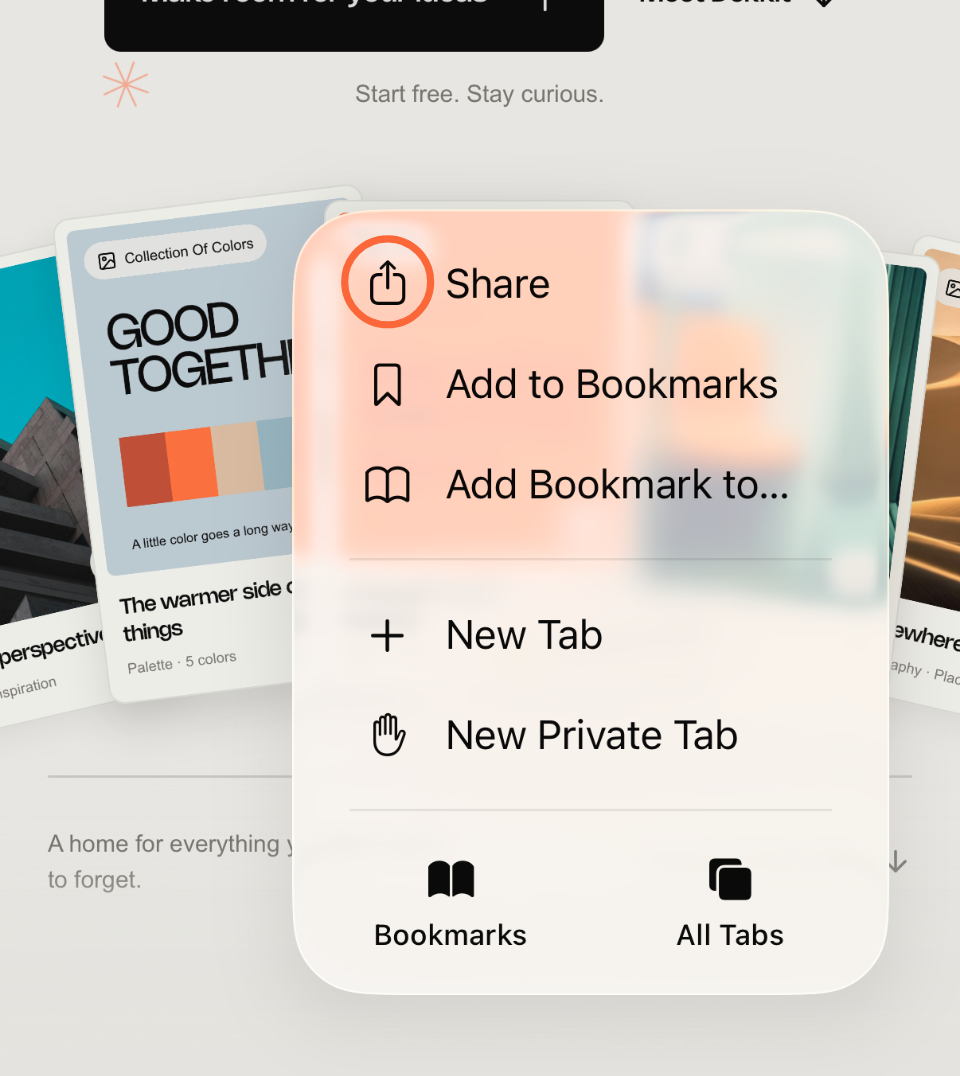
01Open the Share menu
Open a webpage in Safari, tap (…) in the toolbar, then Share.
 02
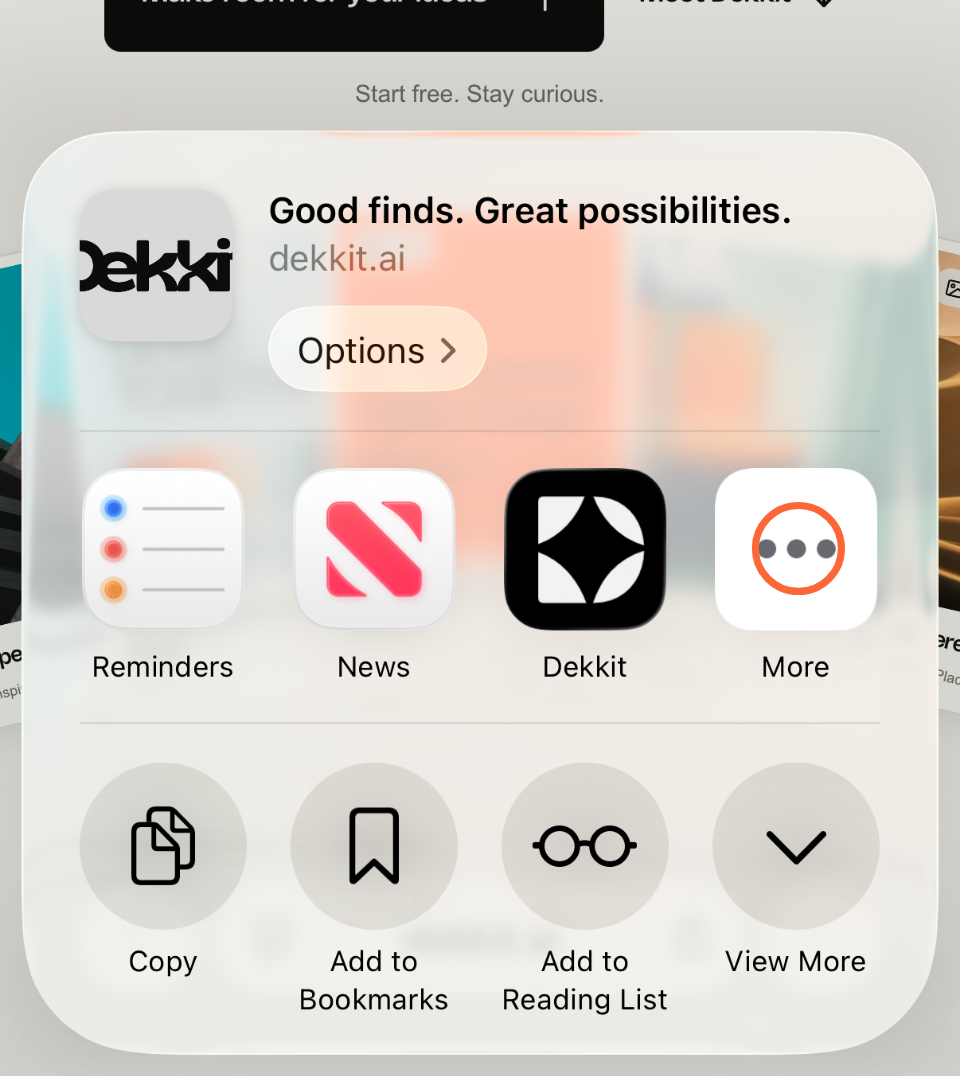
02Tap More in the app row
Swipe left along the app icons if needed, then tap More.
 03
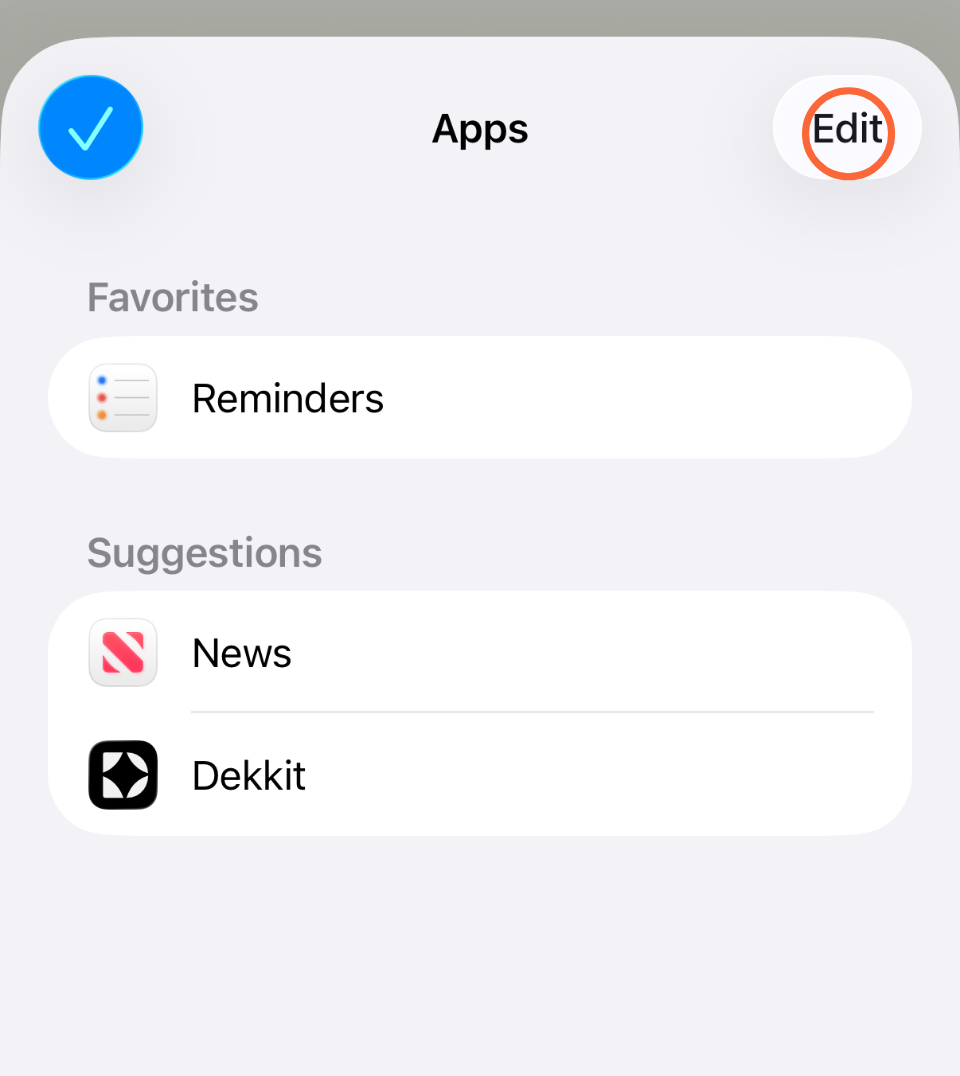
03Tap Edit
Tap Edit in the top-right corner.
 04
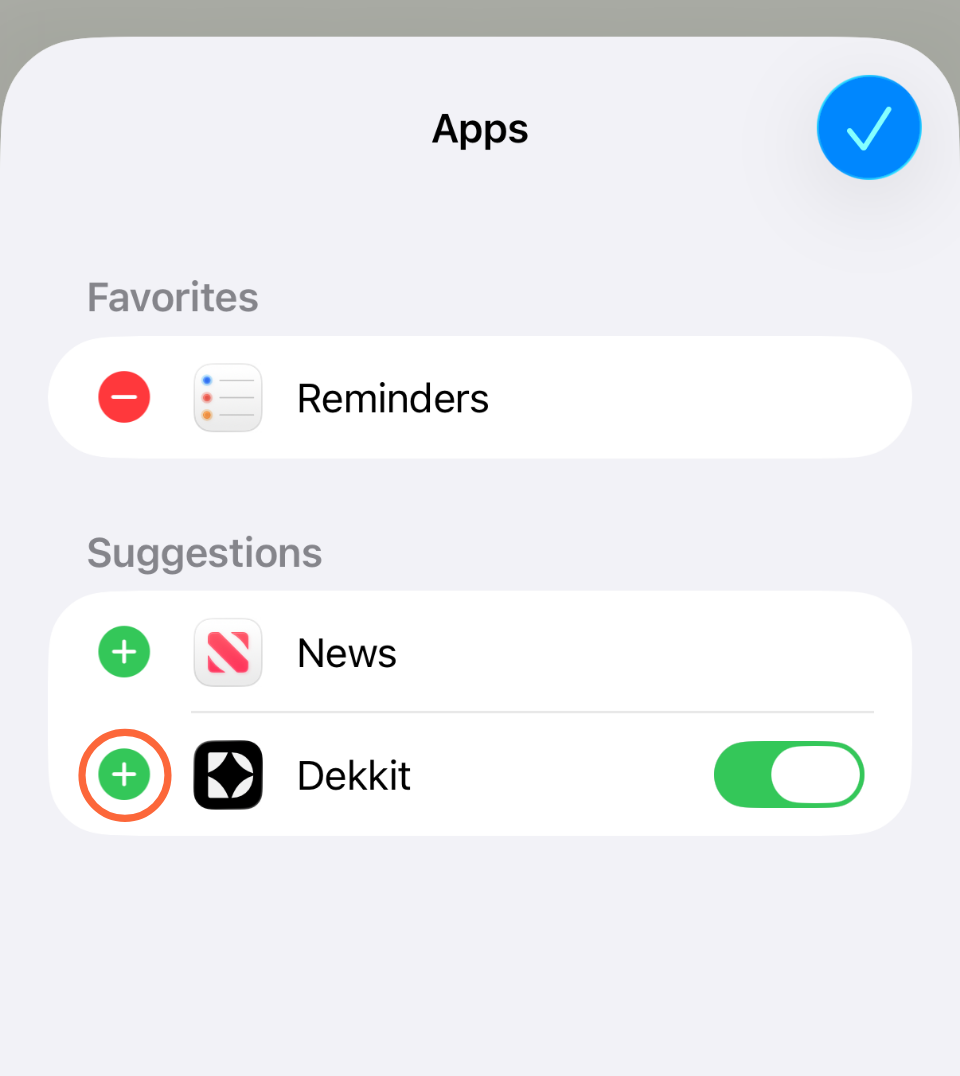
04Add Dekkit to Favorites
Tap the green plus (+) next to Dekkit.
 05
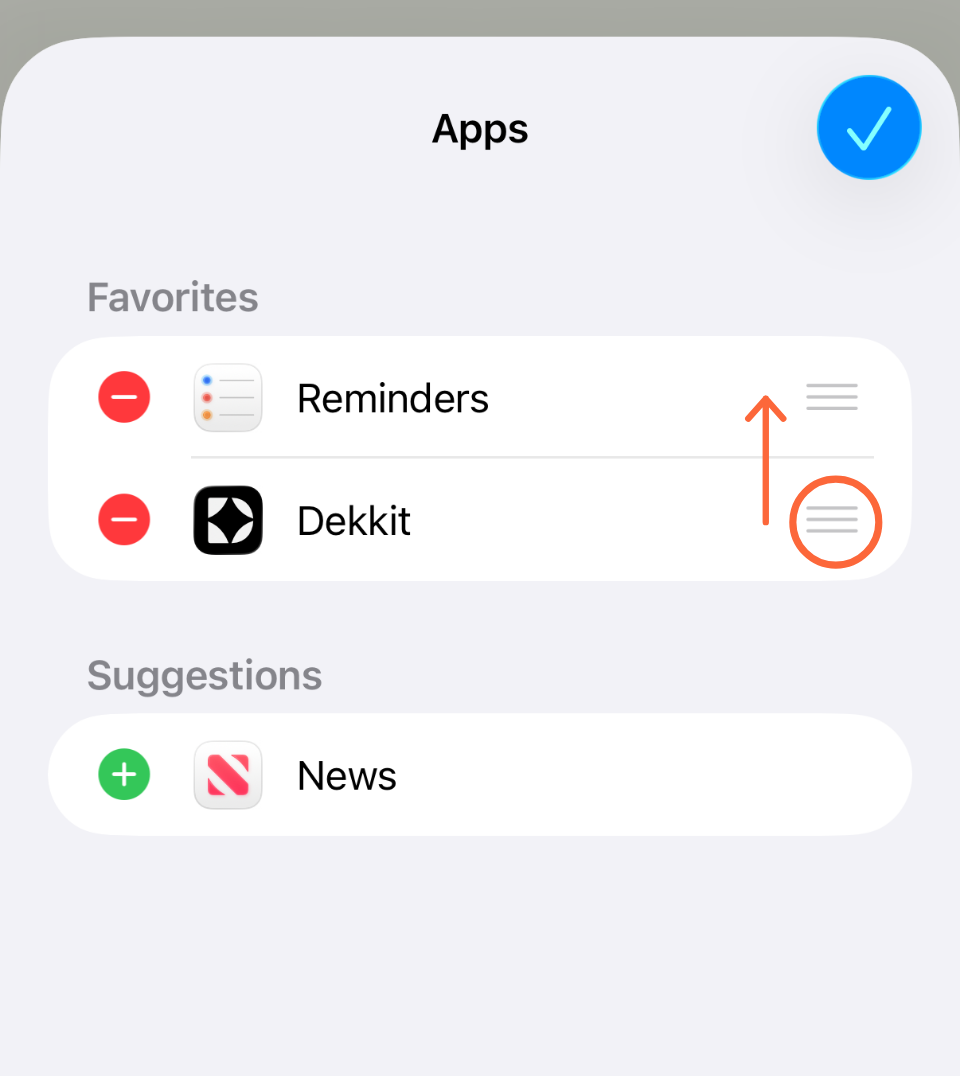
05Move Dekkit to the top
Drag Dekkit up using the three-line handle, then tap Done (or the checkmark) and close the list.
Can’t find Dekkit?
Install Dekkit, open it and sign in. Then reopen Safari and try Share → More.
Turn on Dekkit’s switch if needed. Already in Favorites? Skip the plus and drag it up.
If Safari shows a Share button in the toolbar, tap it directly. On iPad, look in the toolbar too.
Repeat setup in each app you share from. Available options can differ, and some system favorites may stay ahead of Dekkit.